Twist and Fade
How to apply twist and fade technique with Fireworks
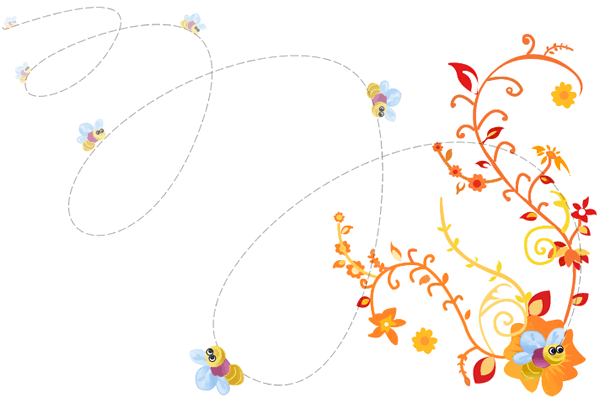
In this tutorial you are going to learn how to create some fun abstract effects using Fireworks. This tutorial explains how a single Image/Vector can be converted into various Images/Vectors using the properties such as Steps, Spacing, Rotation and Opacity. The image below shows how we have applied twist and fade effects to a honey bee.
Prerequisite Knowledge
This tutorial teaches you how to apply twist and fade technique using Fireworks and thus assumes you are familiar with some design software, even if you are new to Adobe Fireworks. However be assured that our detailed instructions can be followed by even a total novice.
You Are Here ::: Home >> Free Tutorials >> Fireworks Tutorials >> Twist and Fade TechniqueTwist and fade technique with Adobe Fireworks CS3 or below
Follow the steps given below:
Color Palette - Honey Bee
-
Step 1: Open Fireworks; draw a honey bee of your own using Pen Tool
 and Ellipse Tool
  . See the illustration below that shows how to draw a honey bee:

-
Step 2: Now we are going to apply twist and fade effect. Select the honey bee using Pointer Tool
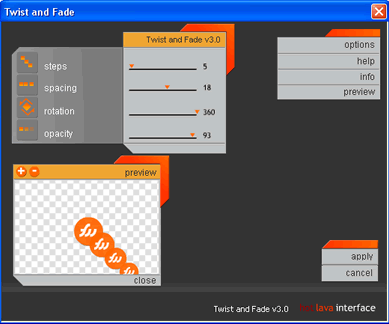
 . Then, click on Commands >> Creative >> Twist and Fade. Now the Twist and Fade pop-up window will be appears. The twist and fade window will look as below:
 -
In the above image, Steps specifies the number of steps; Spacing specifies the spacing between each step; Rotation specifies the degree rotation; and Opacity specifies the opacity of the image.
-
Step 3: You can adjust the four properties (Steps, Spacing, Rotation and Opacity) using the arrow symbol “?”. Now set the following values Steps – 5, Spacing – 18, Rotation – 360, Opacity – 93. After applying the values the honey bee will look as below:
-
In the below image we have arranged the honey bee is flying and sitting in the flower. Once the effect is applied you can't change it.

Software Required
Adobe Fireworks (Macromedia Fireworks prior to version 8). Please check out the compatible versions listed in the box below. Since this tutorial covers an inbuilt core function of fireworks to apply twist and fade technique, using mostly any version of these software should be fine. If you are using the CS4 version of these software please read Twist and Fade Technique with Adobe Fireworks CS5.
Compatible Versions of Adobe Fireworks for this Tutorial
 Fireworks 4-8 | Fireworks CS3
Adobe Fireworks CS4 & above users: If you are using Fireworks CS4+ please note that some features, steps and screenshot images may differ for the above tutorial. Please read the CS4+ version of this free web design tutorial - Twist and Fade Technique with Adobe Fireworks CS4+.
Recommended Version: Fireworks CS6