How to Buy our Dreamweaver Templates
Steps to Purchase and Download our Professional Website Templates
The following steps outline how you can purchase our High-Quality Dreamweaver Templates and download purchased templates from our Client Area instantly. You can also order our customization service that starts at just $59 along with the template purchase.
Step 1: Select a Dreamweaver Template
Select any of our top class Dreamweaver Templates in over 20 categories. You don't have to select only a template that belongs to your website's category - select any template whose design you like and we'll modify it to match your requirements. In fact numerous clients use our templates as base and with their modifications bring out near original 'look and feel' design, saving them a lot of money and time!
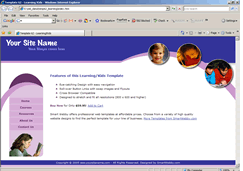
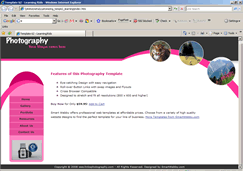
For Example, if you liked Template 62- Education/Kids but yours is a Photography website, you can easily customize it to match your requirements and ideas - and your dream website is ready!!

Step 2: View the Template Details
Click on the Explore link to view the template description page. The description contains :
- Key features of the template
- Template HTML View - Screenshot for 1024px screen width
- Actual size Screenshot for 800px screen width
- Template Adobe Dreamweaver View
- Template Adobe Fireworks View
Click on the Preview links to view the sample page for the template.
Step 3: Add it to your Shopping Cart
If you like the template and are ready to buy it, click on the Add to Cart button. You will be taken to view your shopping cart with the selected template product added. Once there, click on the template name to make sure that you have ordered the correct template.
Step 4: Selecting a Template Customization Package (optional)
When you view your shopping cart with the selected template you will notice that you are given customization options (displayed in the blue box under the Specifications section of the Product Details column). The three customization options are explained below, please select one of them if you need us to customize your Dreamweaver Template.

- Header & Footer Customization
- Logo Insertion
- Customized Template Colors

- Basic Customization
- Customized Template Pictures
- Customized Template Navigation

- Advanced Customization
- Customized Effects
- Content insertion & CSS formatting for up to 10 pages. 2 photos/page.
Step 5: Checking Out
After you have confirmed
that you have ordered the correct template, click on the Checkout button in the Shopping Cart. Fill in your name, email address
and URL of the website you require the template to be licensed for.
Important Note: You have to enter a
valid email address as the template will be sent to the email
address you enter here. Please do not give yahoo, hotmail or other public accounts as your id.
Step 6: Making the Payment
Once you have entered
the necessary details click on the checkout button again. You
will be taken to our payment gateway where you can enter your
billing details and complete the payment.
Note: The amount will be converted to Indian Rupees (approximate value). Our payment gateway providers are CCAvenue.com whose name will appear on your credit card bill.
Step 7: Download the Template
Once you have completed your payment and the payment is successful you will receive an order transaction email from us with your order and login details. Use the URL and login details to access and download the template(s) purchased from your client area. The templates will be sent to the email address you entered in the Shopping Cart.
Step 8: Email Us with your Customization Details (if purchased)
If you purchased a customization package from us, please write to us with your Order ID, customization specifications - as specified in your selected package. If you selected the professional customization package you will need to send us your logo, pictures, content documents and web site FTP details. Read full details on our Template Customization Service.
More Notes:
- Our Dreamweaver Templates are designed with Adobe Fireworks and Dreamweaver MX 2004 and above. You need Adobe Fireworks MX 2004 or higher and Adobe Dreamweaver MX 2004 or higher to use these templates.
- If there are forms in the template you have selected, they are only design elements and not functional forms.
- All templates have been checked on Internet Explorer 5+, Netscape 6+, Opera 7+, Firefox 1.0+, Safari 3 and for PC only. Mac users please write to us if any of the templates are showing errors.
Please email us at admin@smartwebby.com if you have any questions or need assistance in anything.